



 Github Stars:
 Last Commit:
  Created:
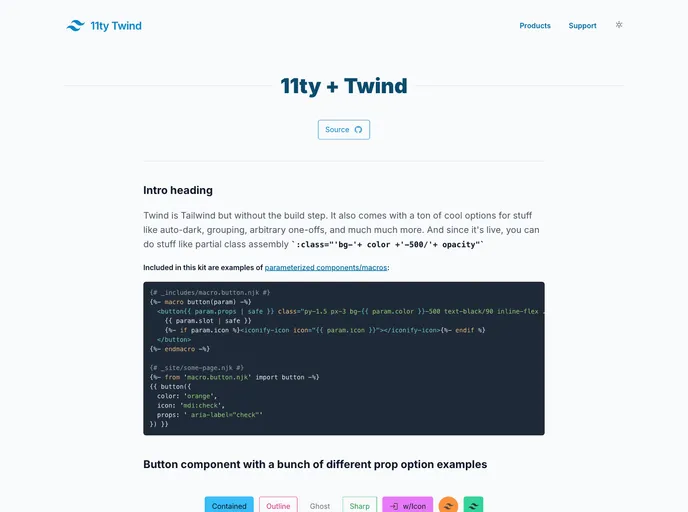
Overview:
The 11ty-twind starterkit is a combination of two powerful tools, 11ty and Twind, that allows developers to easily build static websites. It leverages the benefits of esbuild, a fast JavaScript bundler, to enhance the development experience. With built-in features like auto dark mode, Iconify integration, and instant.page for faster page loading, this starterkit offers a comprehensive solution for creating modern static websites.
Features:
- 11ty: A static site generator that makes it easy to build and deploy static websites.
- Twind: A utility-first CSS framework that provides a modern and highly efficient approach to styling.
- Auto dark mode: Automatically switches between light and dark modes based on the user’s system preferences.
- Iconify: Integration with Iconify, a library of over 100,000 icons that can be easily used in the project.
- instant.page: Faster page loading using instant.page, a JavaScript library that prefetches pages when hovering over links.
Installation:
To install the 11ty-twind starterkit, follow these steps:
- Clone the repository:
git clone <repository_url>
- Navigate to the project directory:
cd 11ty-twind
- Install the dependencies using npm:
npm install
- Build the project using esbuild:
npm run build
- Start the development server:
npm run start
- Visit
http://localhost:8080in your browser to view the site.
Summary:
The 11ty-twind starterkit combines the power of 11ty and Twind to offer a seamless development experience for building static websites. With features like auto dark mode, Iconify integration, and instant.page for faster page loading, this starterkit provides a comprehensive solution for modern web development. Follow the installation guide to get started with this powerful toolset.